Tagboard • API Integration • Product Design • Scalable Systems
NBA LaunchpadCohort 2023
Sportradar Partnership Integration for NBA Launchpad.
* Best viewed on desktop
Due to Non-Disclosure Agreements, specific details and visuals from this project are omitted to maintain confidentiality.
Context
The Partnership
Role
Product Designer
Company
Tagboard
Client
NBA
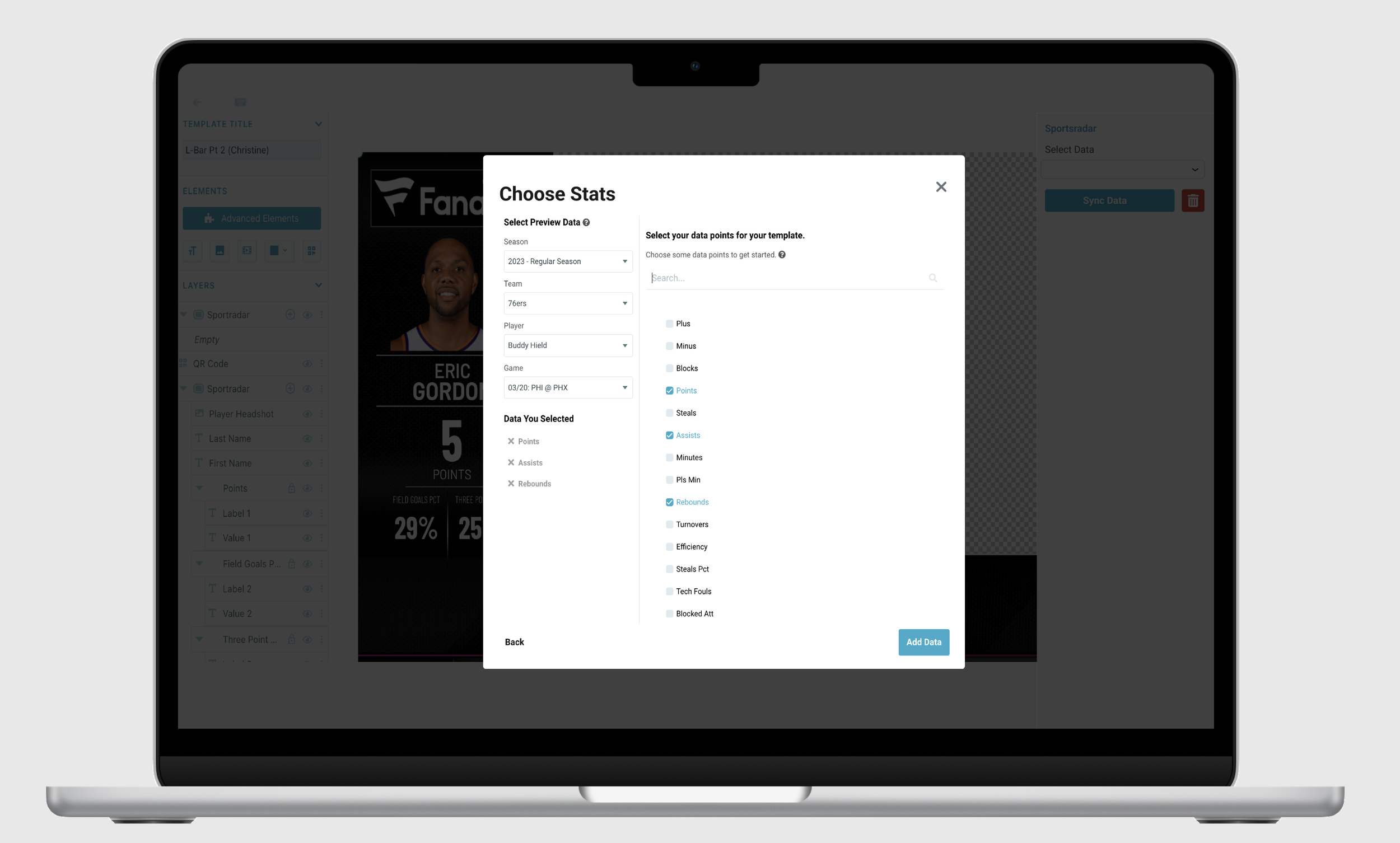
“Sportradar is the official data provider of NBA statistics.” For Tagboard's Graphic Editor, the Sportradar collaboration enhanced the NBA Launchpad project, enriching basketball live games with real-time data.
The integration allowed NBA teams and broadcasters to quickly import current data via API keys, then efficiently edit graphics with detailed data points, team colors, and photos.
Credits: Engineering team (Lance Harper, Griffin Hammer, Craig Wills, VP of Engineering), Product Manager Jenny Yang, VP of Product and Strategy Christine Chalk, and partners at NBA and Sportradar.
Business Goal
The Mission
“Seamlessly integrate Sportradar's live sport data directly into our widget library in our graphic editor so that NBA production teams and broadcasters could quickly import up-to-date data using Sportradar API keys.”
Process
How We Got There
Sportradar's API Map
Mapped Sportradar's API structure to guide design direction while back-end engineers gathered capability information. Key insight: to access main data sources, users needed only to input a date or specific season, which determined the entire user experience and flow.
Hands-On Data Exploration
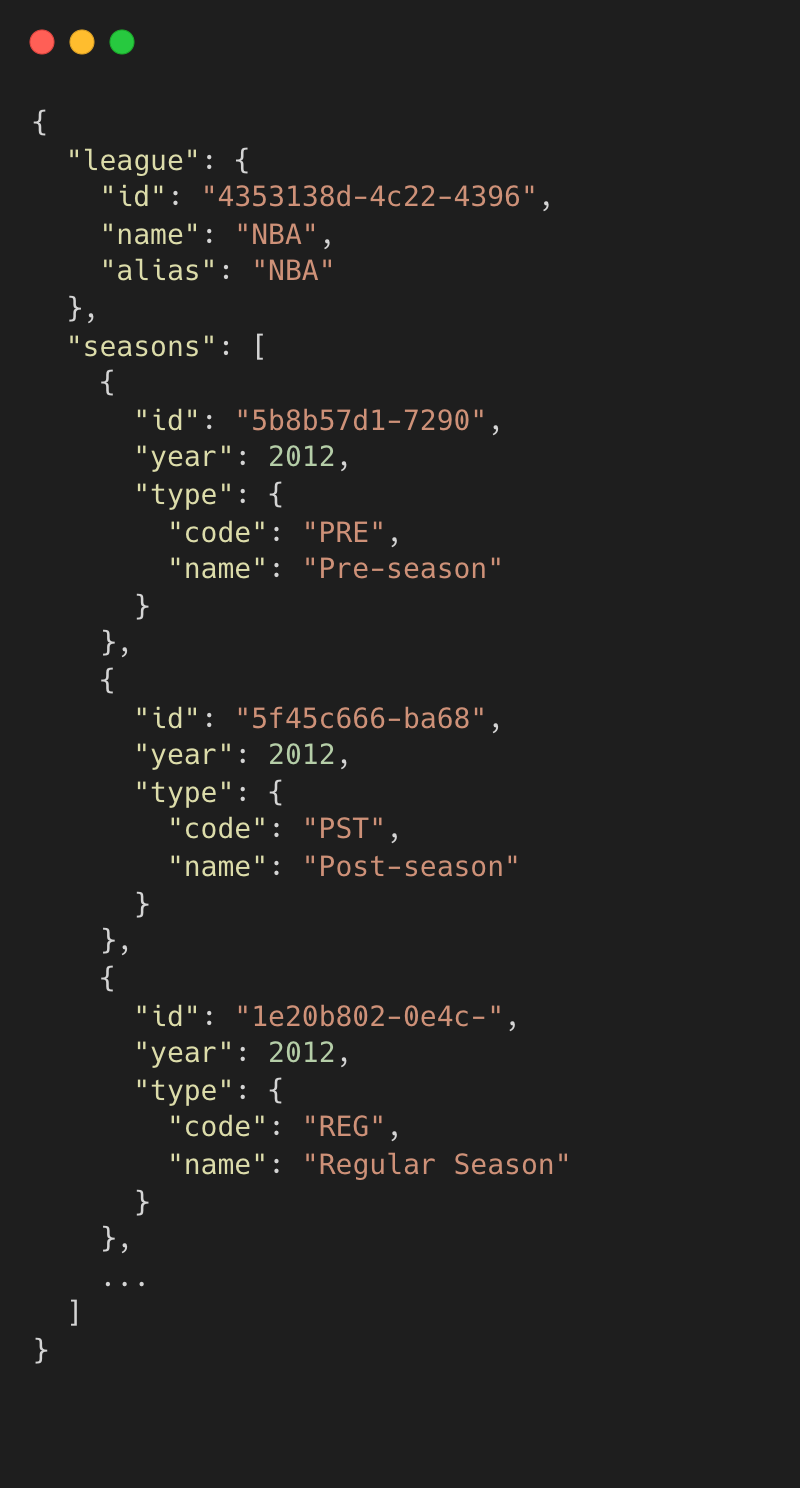
Initial API map review wasn't enough. Using a test API key, I explored NBA data in Postman: player statistics, game outcomes, and team rankings. Close collaboration with the PM helped identify how data could be structured for users and design a workflow facilitating easy selection and previewing.
Designing for Scalability
The workflow needed to be specific enough for NBA demands while remaining adaptive for other sports. Learning Sportradar's API structure provided insight into how other providers (Stats Perform, Genius Sports, Opta Sports) might work, enabling a flow that could theoretically tailor to any sports data provider.
Final Design & Engineer Collaboration
Using the API Map and knowledge from hands-on exploration, collaborated with front and back-end engineers to create an intuitive, functional way for users to filter the data they needed, enabling real-time parameter calls inside the Graphic Editor.
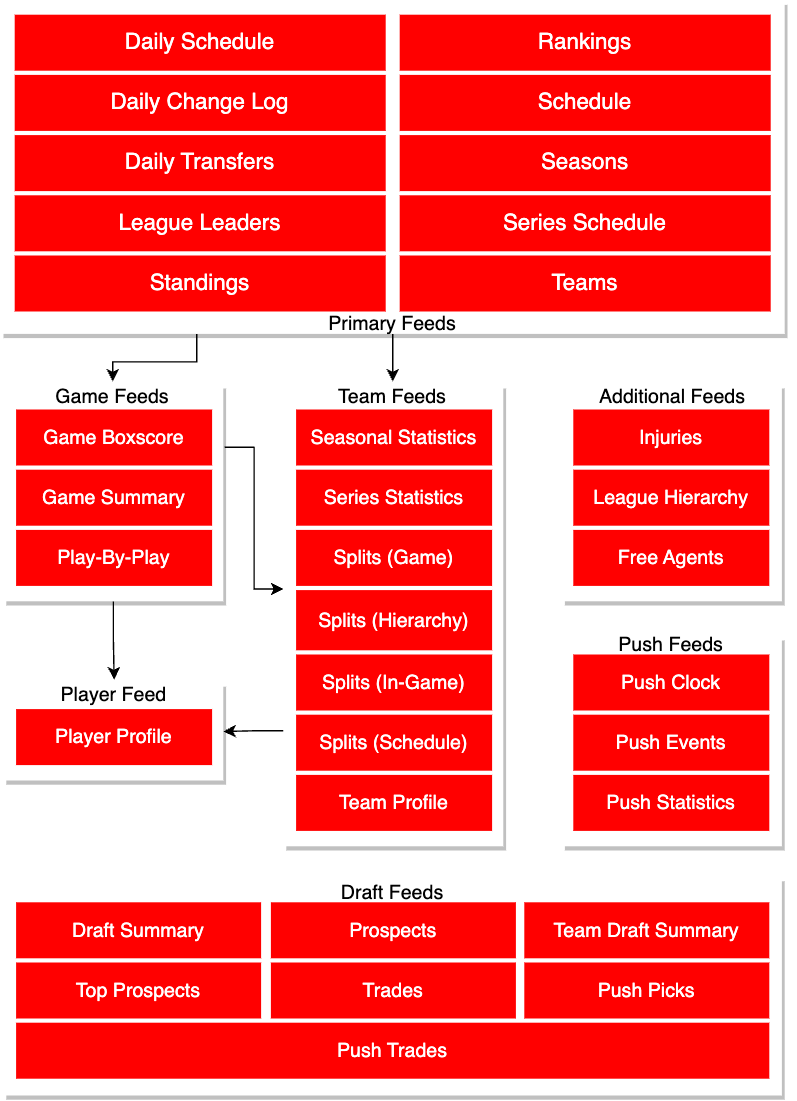
Sportradar's API Map
Map I used to help guide my design direction while back-end engineers gathered more information on API capabilities.
Step 1: Understanding Parameters
Sportradar's API Map
To begin, I utilized the API map provided to understand the types of parameters that are required to make API calls.
It was understood that to access the main data sources, users would only need to input a date or specific season.
This was important to understand because:
- ·Helps determine the user experience and user flow
- ·Selecting a primary feed would determine the additional data users can select from
Step 2: Deep Dive
Familiarizing with the Data
Initial API map exploration was insufficient. Using a test API key, hands-on exploration occurred in Postman to understand NBA data in detail:
- →Player statistics
- →Game outcomes
- →Team rankings
This exploration helped identify how data could be structured for users and design a workflow facilitating easy data selection and previewing. The final design was user-centric, enabling seamless integration of real-time NBA data into user graphics, enhancing the overall user experience for creating data-driven basketball content.
“While we may not be the first company to bring live data into a graphic, we are the first company to do it in a way that enables production teams to 3x their content output.”
Christine Chalk, SVP of Product and Strategy
Step 3: Selecting Parameters
Selecting Parameters
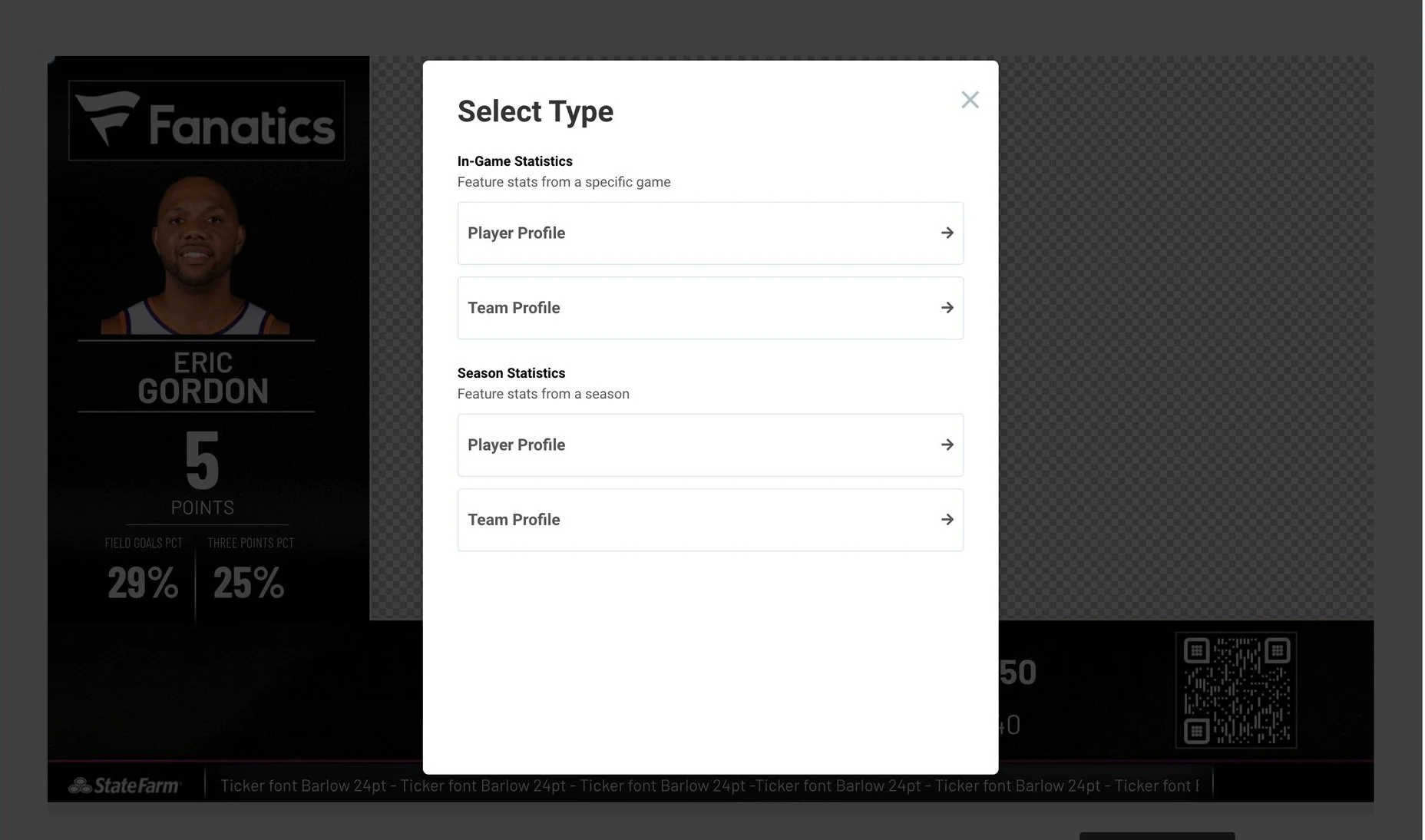
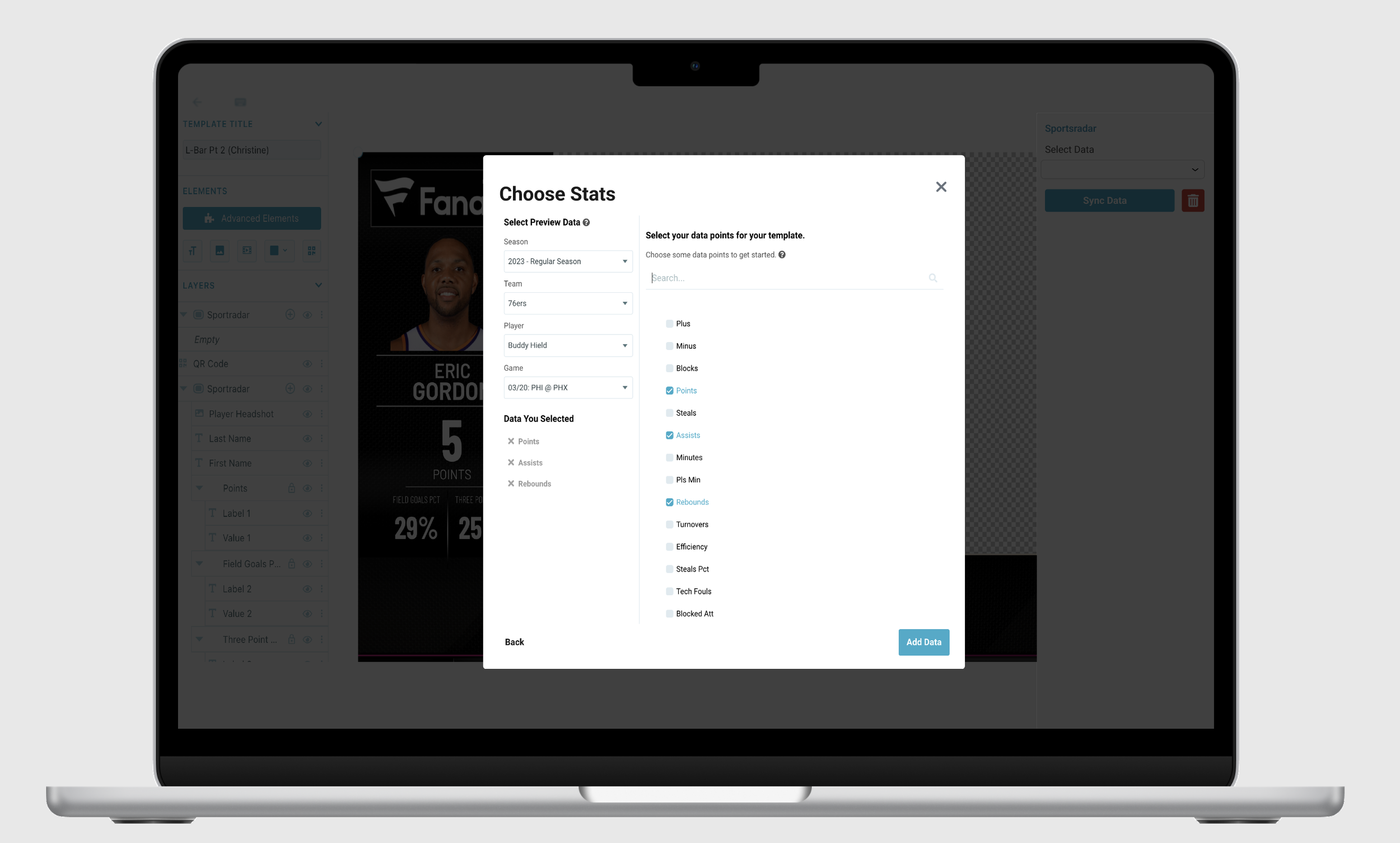
Graphic Editor, Modal: Once Sportradar data is selected, users can choose parameters in order to get the data they want. In-Game and Seasonal will offer different types of data to filter from.
Step 4: Design Thinking
Designing for Scalability
The workflow needed to be specific enough for NBA demands while remaining adaptive for other sports. Learning about Sportradar API keys provided insight into how other providers might structure data, enabling a flow that could theoretically tailor to any sports data provider.
Future Integration Plans
- ·Stats Perform
- ·Genius Sports
- ·Opta Sports
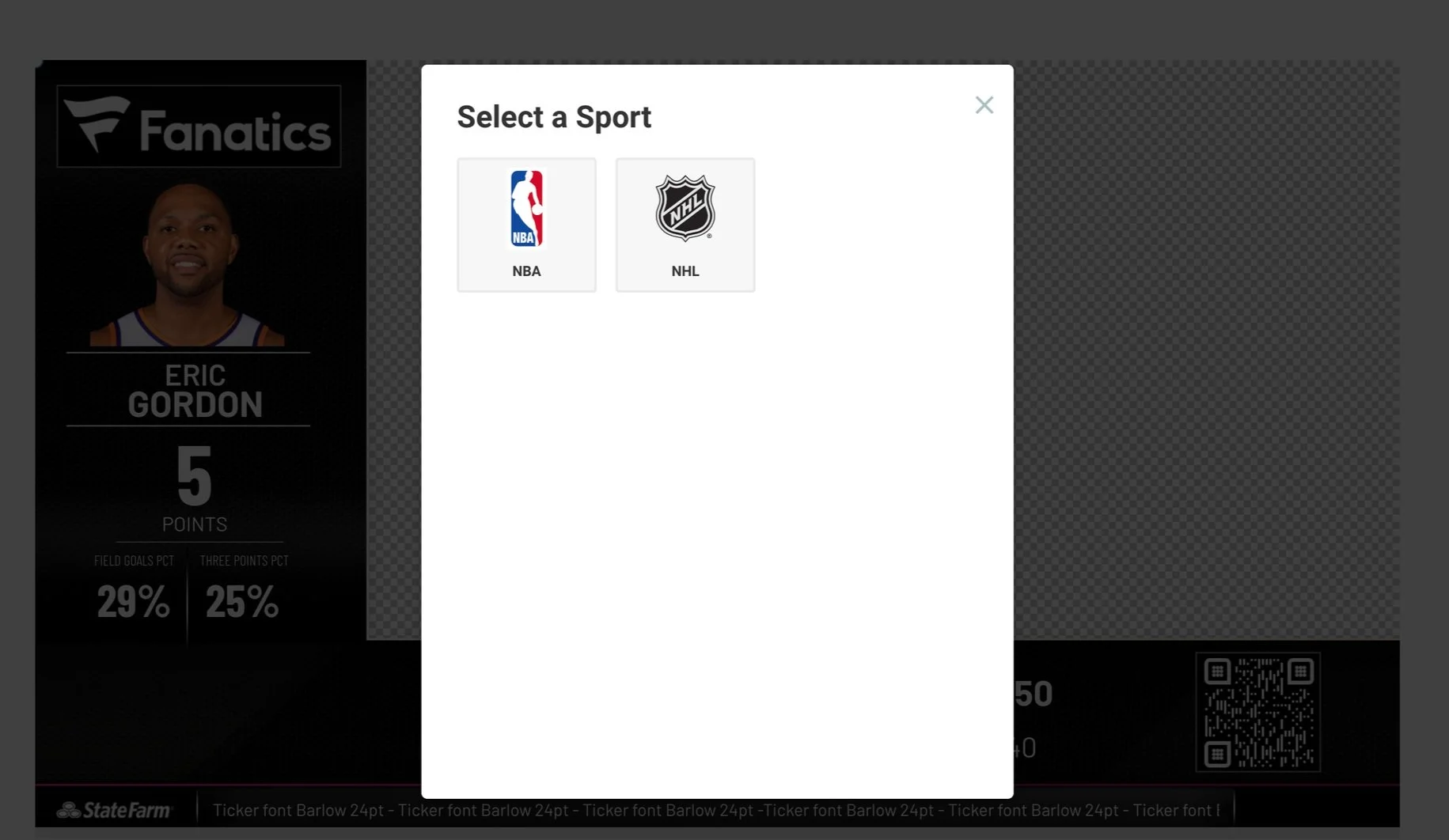
Sport Selection
After selecting the Sportradar integration, users can choose from a list of sports, making the architecture extensible beyond basketball from day one.
Strategic Insight
Understanding one provider's API structure created a mental model for how all sports data providers work, turning an NBA-specific project into a scalable platform.
The Solution
Final Design
Using the API Map and knowledge from hands-on API key exploration, collaboration with front and back-end engineers created an intuitive, functional way for users to filter needed data, with parameter requirements making API calls in real time inside the Graphic Editor.
Select Sportradar
User selects the Sportradar integration option within the widget library.
Choose Parameters
Select sport, then choose In-Game or Seasonal feed to surface relevant data types.
Import & Edit
Real-time data populates the graphic: team colors, photos, and live stats ready to use.
- ·Lack of complete API information led to design assumptions early on, and learning to work within that ambiguity was essential.
- ·Designing with flexibility in mind allowed for rapid adaptation as new technical details emerged.
- ·Pivoting the design approach mid-project proved necessary to fully leverage growing product knowledge.
- ·Hands-on API exploration in Postman was far more valuable than reading documentation alone.
- ·Designing for scalability across providers from the start saved significant rework down the line.
- ·Close PM collaboration to understand data structures was essential to a user-centric final outcome.
- ·Embracing unknowns and being prepared to pivot became a cornerstone of my design approach.
- ·Solutions must be both innovative and fully aligned with the technical framework.
- ·Resilience and agility in product design are just as important as visual craft.
Also at Tagboard
App Marketplace Launch
Beyond the NBA Launchpad, I also contributed to the launch of Tagboard's App Marketplace, a groundbreaking initiative designed to expand and enhance real-time content curation and display capabilities. This project revolutionized how users interact with social media content, making it easier and more dynamic for broadcasters and digital teams.