Personal Content Creator Project • Web Design and Development • 2026
Building My Cornerof the Internethangwithjz.com · 2026
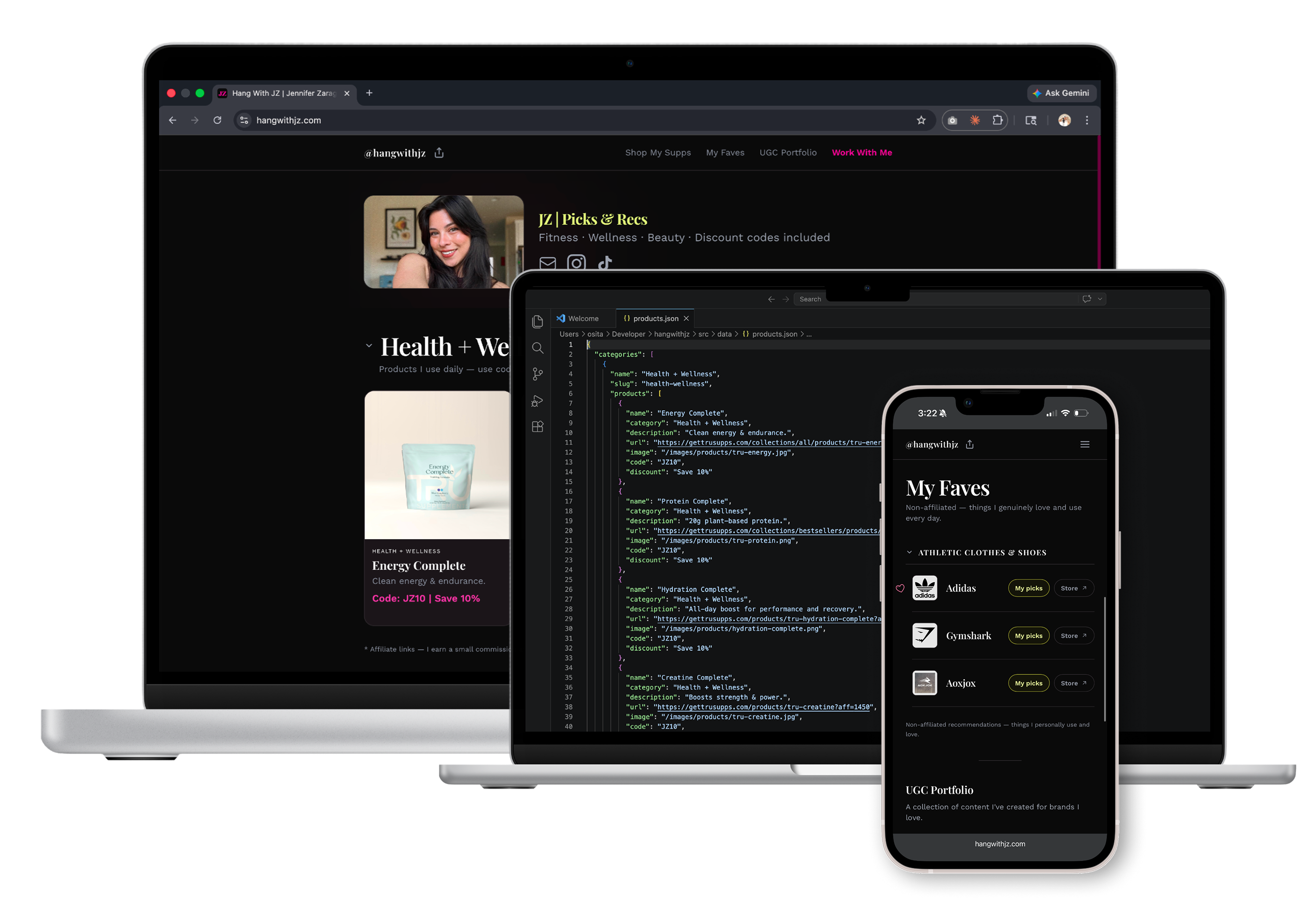
Yup, I'm also a content creator in the fitness and wellness space :D I wanted a fully custom link-in-bio site and cookie-cutter templates weren't going to cut it.
Context
The Project
Role
Solo Product Designer & Engineer
Project
hangwithjz.com
Year
2026
Scope
End-to-End Design & Development
I wanted something like Linktree, but it was so “cookie cutter” and I'm not one who likes to fit a mold handed to her. I wanted something personal, that was unique to me and the personal online brand I was building.
So I built it myself, from scratch, in Next.js — built using Claude Code and deployed on Vercel. This project was as much about testing AI-assisted development workflows as it was about shipping a product I'd actually use. It houses my affiliate picks, my faves, my UGC portfolio, and my brand collab info in one place.
Built with: Claude Code for AI-assisted development, Vercel for deployment, and GitHub for version control.
The Problem
What I Was Solving
“Every link-in-bio tool looked the same, and I refused to be another template.”
What every other link-in-bio tool looks like
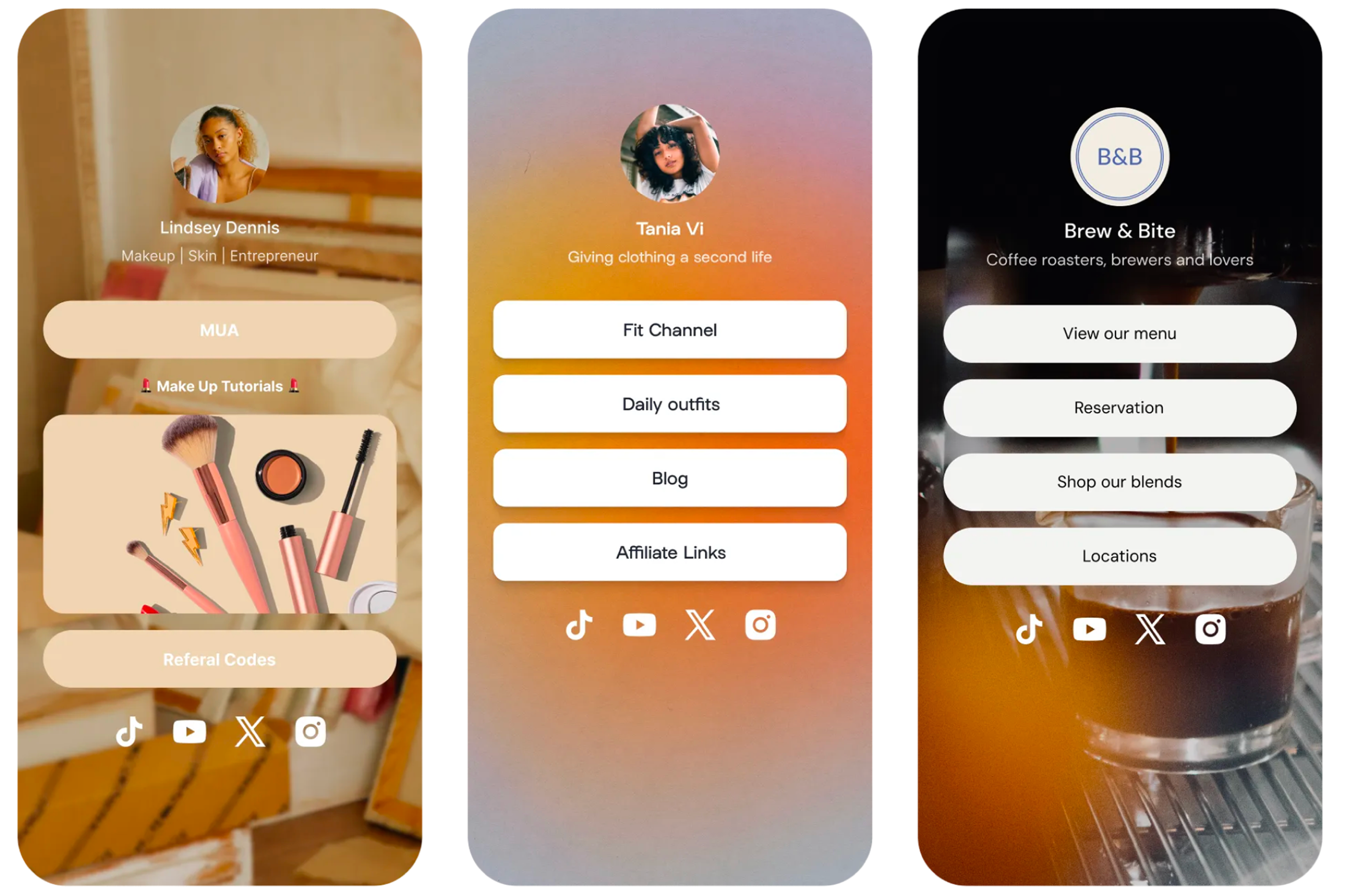
* Template examples sourced from linktree.com for illustrative purposes.
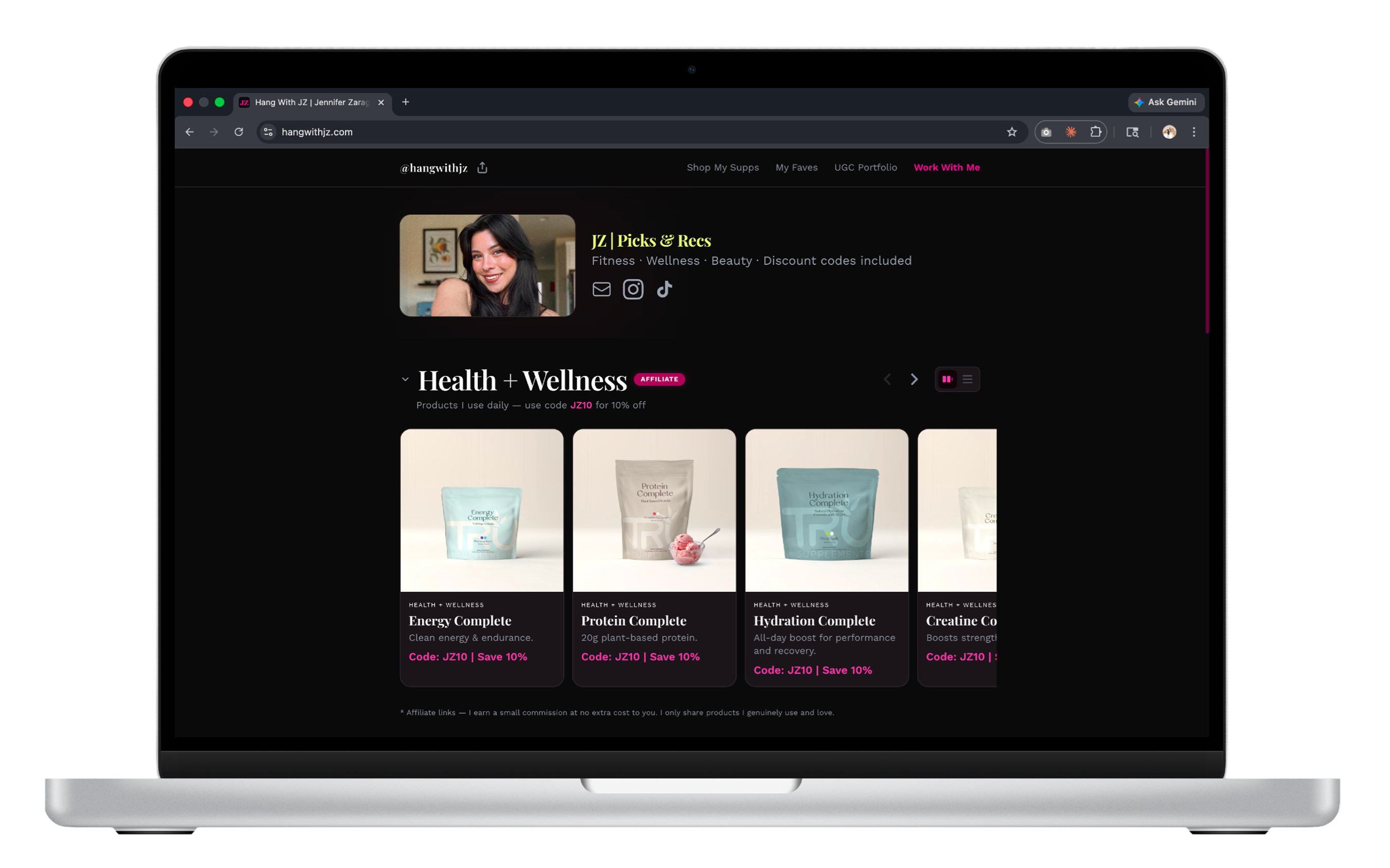
What I built instead
Personal Brand Goal
Establish a distinct personal brand online that reflects my aesthetic and doubles as a UGC portfolio, while using the project as a real-world testing ground for AI-assisted product development.
My Plan
Design and build a custom site from scratch, no templates, no constraints. Define a clear brand identity first, then build a layout that lets my content breathe: scannable, visual, and unmistakably mine. Built in Claude Code, hosted in Vercel, and shipped with Github to prove the full AI-to-production workflow.
The Problem
Why Existing Tools Fell Short
Pain Point 01
Generic Templates
Existing tools forced a rigid layout with no room for personality. Every page looked the same, just a different name at the top.
Pain Point 02
No Portfolio Integration
There was nowhere to showcase UGC work alongside affiliate links. The two lived in completely separate places.
Pain Point 03
Difficult to Scan, Hide & Filter
Content was hard to browse with no way to hide or filter items by category, making pages feel overwhelming and cluttered.
So I built something better.
The Solution
What I Built
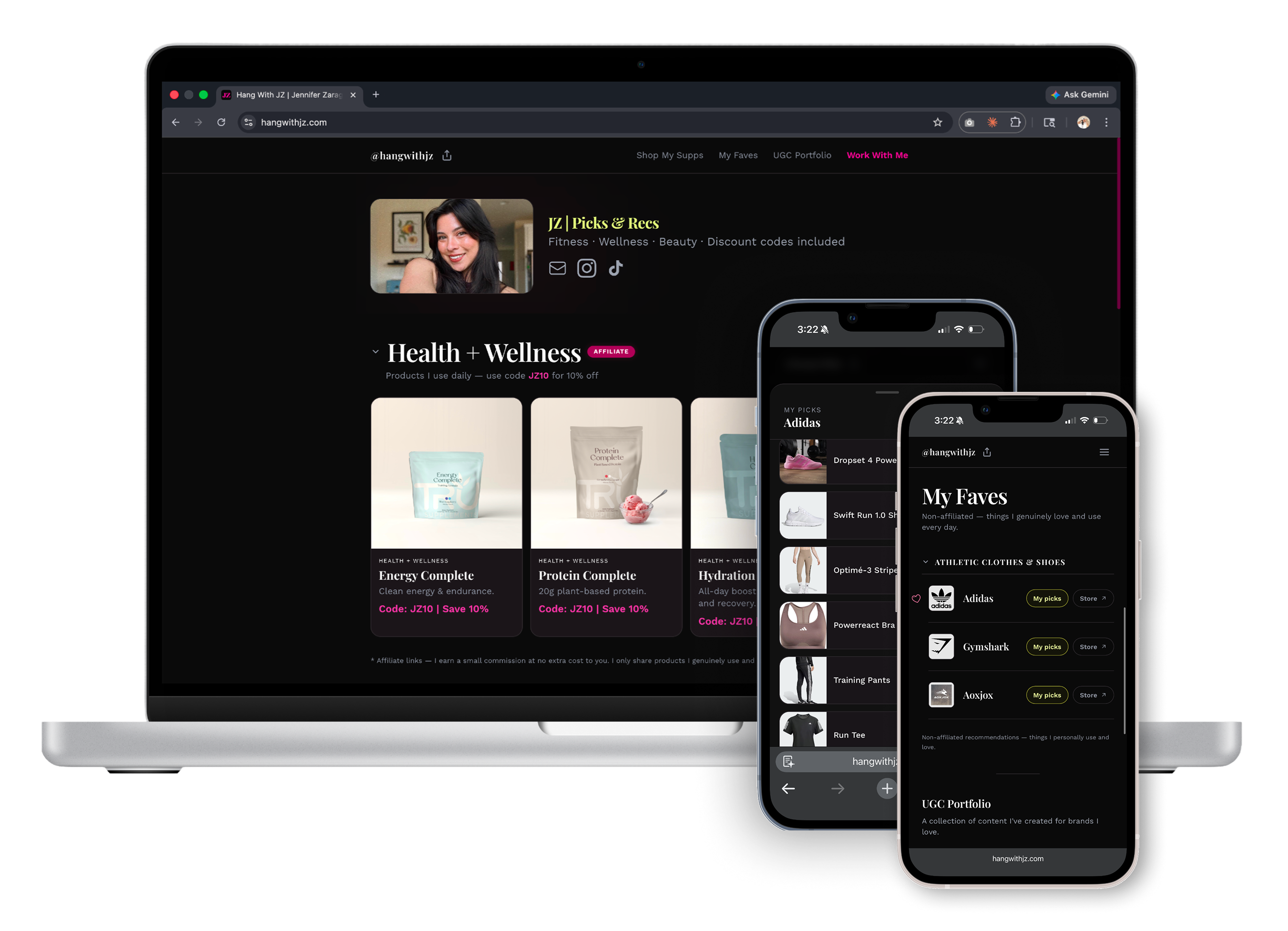
A fully custom link-in-bio site built in Next.js with a distinct brand system, structured navigation, and dedicated sections for every type of content, all designed to be immediately scannable and unmistakably personal.
Custom Brand System
- →Built from scratch in Next.js, zero template constraints.
- →Hot pink + lime accent palette tied directly to my personal brand.
- →Playfair Display + Work Sans type pairing for an editorial feel that sets me apart.
Visual Hierarchy & Scannable Layout
- →Large imagery used to balance text and CTAs, reducing visual noise.
- →Dedicated sections let users scan and jump to what matters, no infinite scroll walls of buttons.
- →Both vertical and horizontal scroll patterns added for product browsing variety.
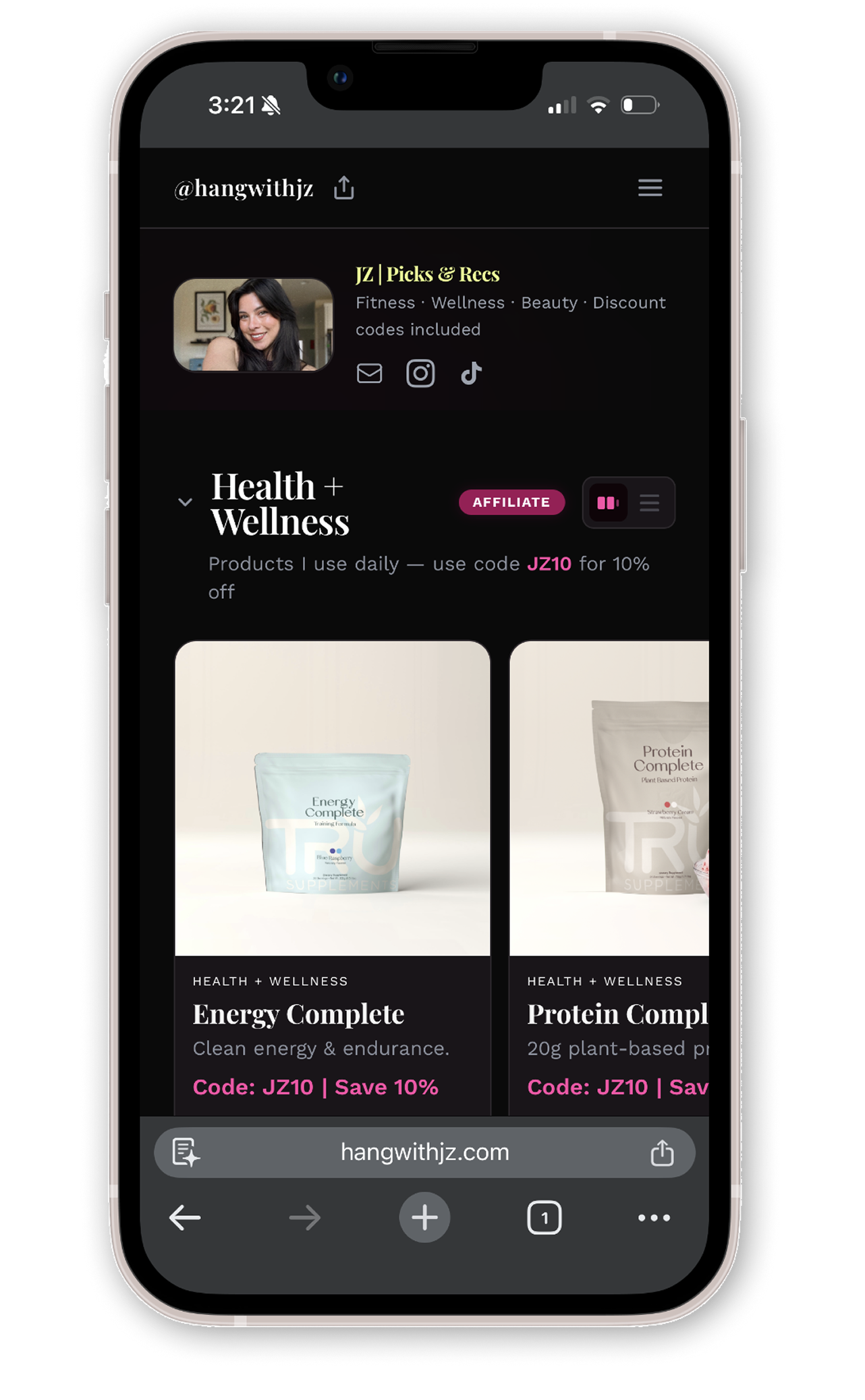
Top Bar Navigation
- →Sticky navigation gives instant access to any section from anywhere on the page.
- →Straight-to-the-point link architecture, no unnecessary depth or buried content.
- →Mobile-first collapse with hamburger menu for a clean small-screen experience.
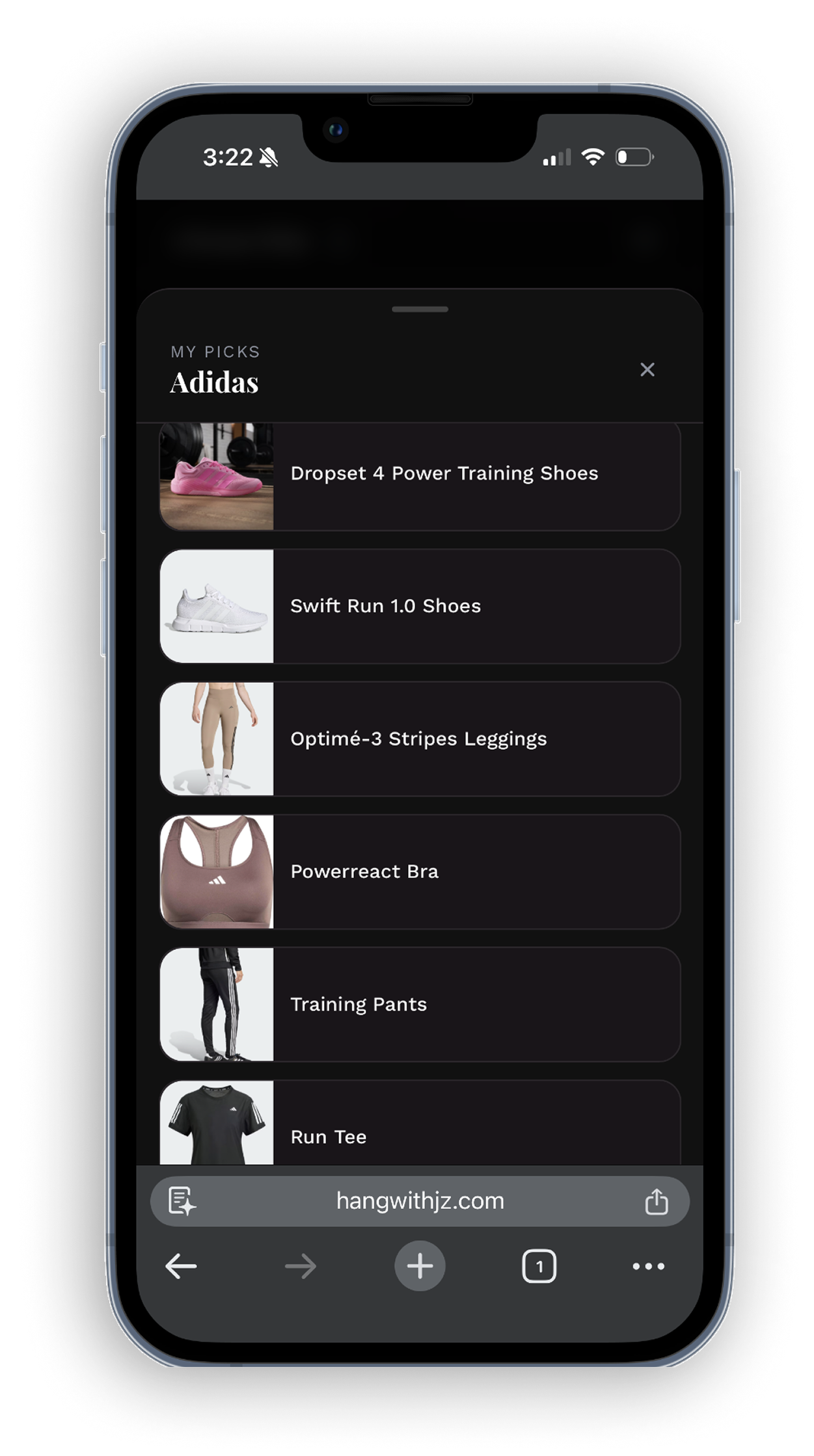
UGC Portfolio + Affiliate Integration
- →Dedicated UGC portfolio section lives alongside affiliate picks and faves. One page, full picture.
- →Affiliate links include discount codes inline so nothing is buried in descriptions.
- →"Work With Me" section functions as a lightweight brand brief for potential collabs.
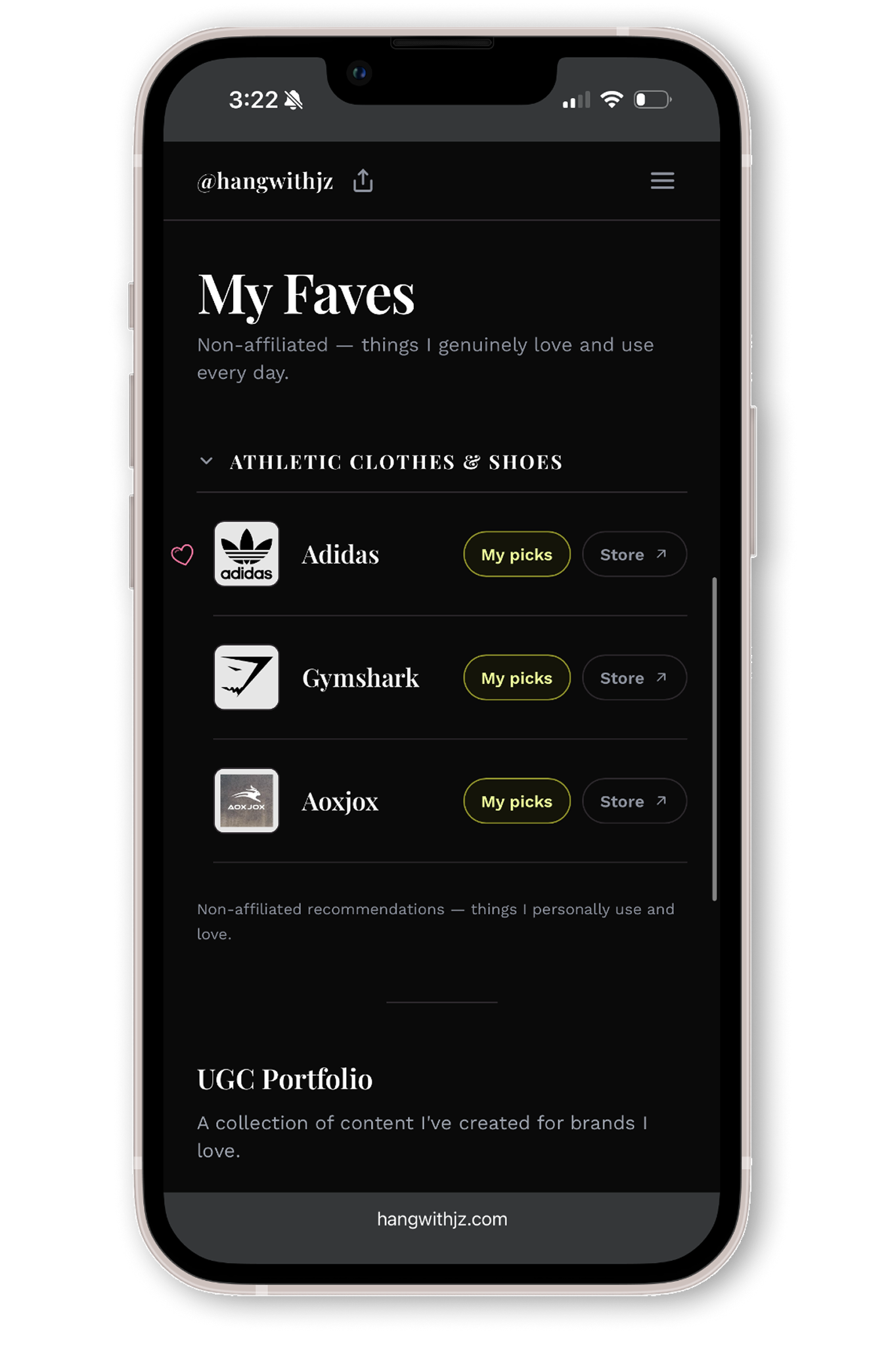
Under the Hood
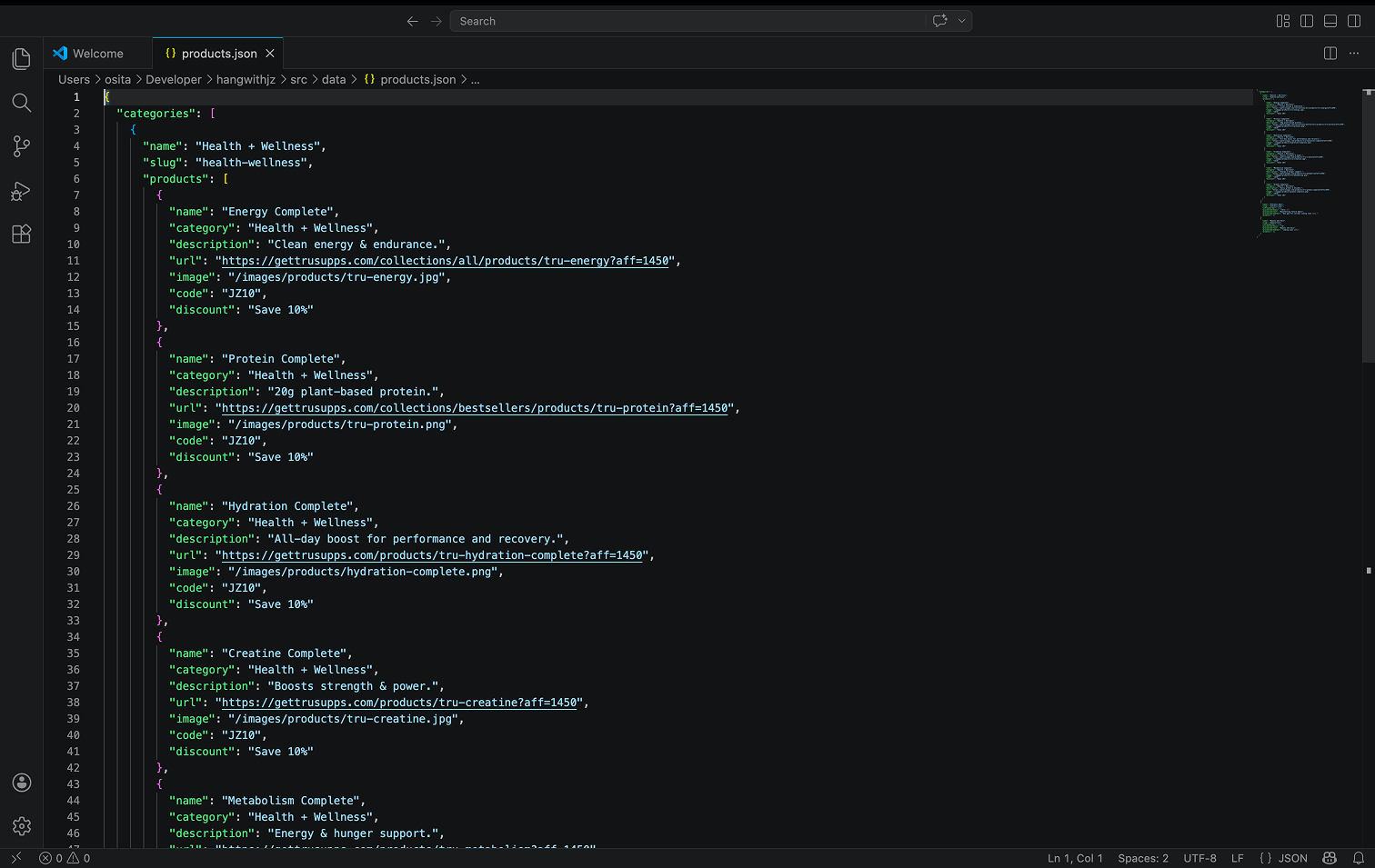
I Built a JSON Data Layer
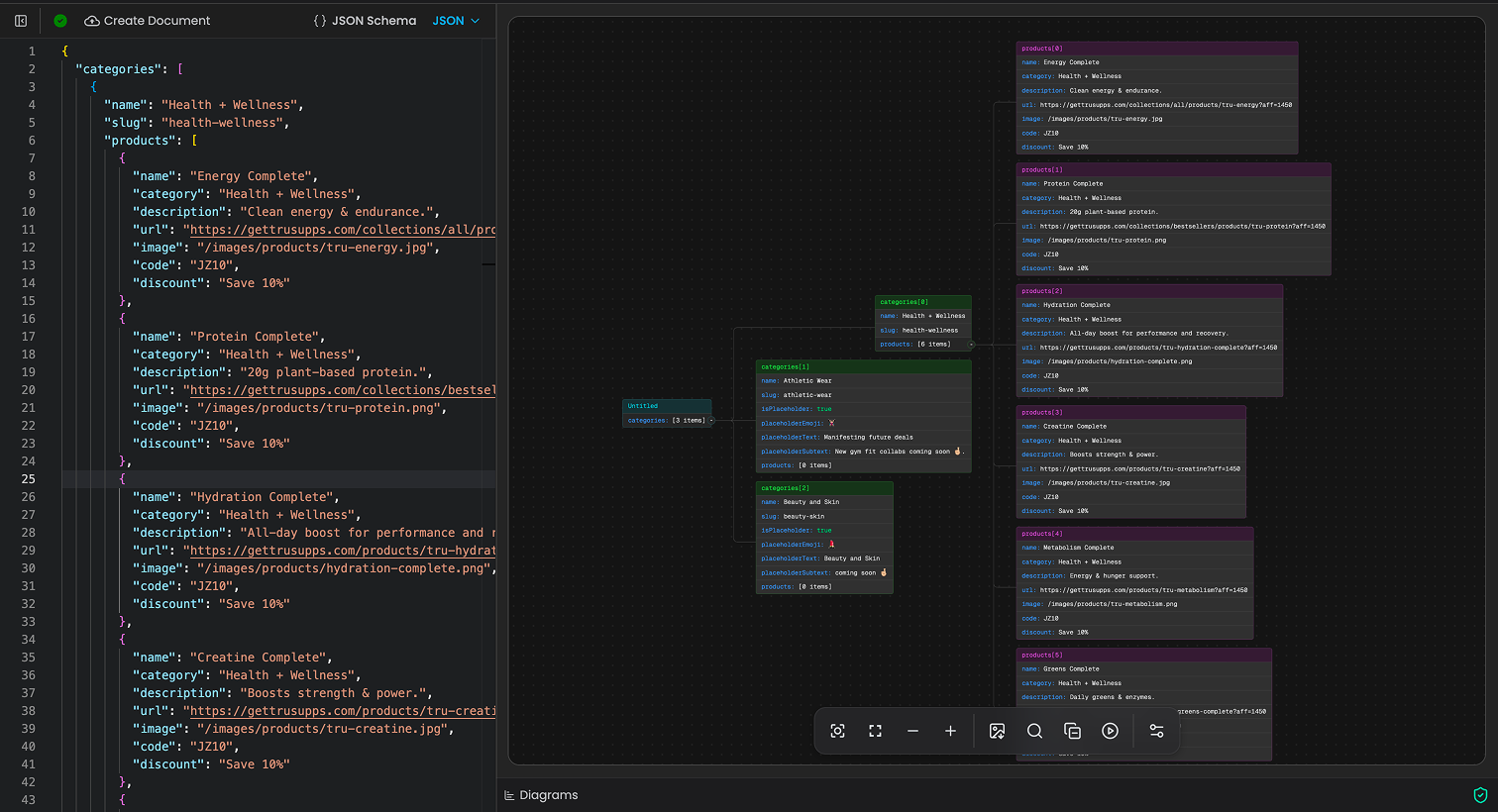
Rather than hardcoding affiliate links and product data directly in the UI, I set up a structured JSON file I can edit in VS Code whenever I want to update picks, swap discount codes, or add new categories. This keeps my AI token usage low, so I only involve Claude Code when I'm actually changing the design, not just swapping in a new product link. (lol)
The data file in VS Code
How it all connects
See It Live
Visit the Site
The best way to experience it is to see it. Pop open a new tab and explore the real thing: live, deployed, and shipping updates.
- ·Shipped a full product solo, from concept to deployment, using AI tooling to move at a pace that would otherwise require a team.
- ·Designing for myself was surprisingly harder than designing for users. Taste is personal and harder to justify without external constraints.
- ·Using Claude Code, Vercel, and GitHub in a real production context deepened my understanding of the full dev-to-deploy pipeline.
- ·Brand clarity before design is everything. Having a clear visual identity made every decision faster and more consistent.
- ·Building from scratch reveals what templates actually abstract away, and which of those abstractions are actually worth keeping.
- ·AI-assisted development is a skill, not a shortcut. Knowing what to ask for and how to review output is its own craft.
- ·This project taught me GitHub as a real workflow tool, not just version control in theory. Branching, committing with intention, and pushing to production through Vercel made the dev-to-deploy loop feel tangible and repeatable.
- ·I'd define a clearer content model earlier: what types of items exist, how they're categorized, before writing any UI.
- ·I'd add analytics from day one to understand which sections actually get visited, not just which ones feel important to me.